


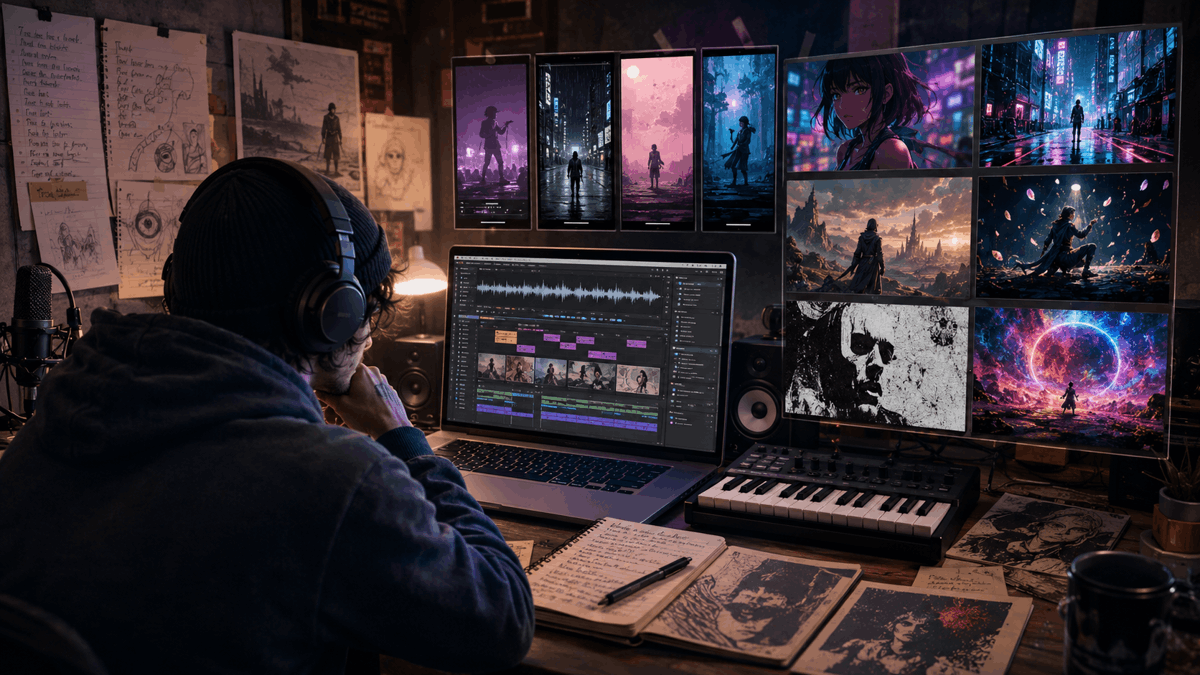
DIY music has never waited for permission or budget. Bands have recorded albums in basements, shot videos on borrowed cameras, designed flyers by hand, and distributed music through zines and Bandcamp pages long before streaming algorithms existed. The tools change, but the impulse is the same: make something, make it visible, move on to the next thing. Suno fits into that tradition more naturally than most AI tools do — it is a fast, low-barrier way to generate songs, demos, and musical experiments without a full band or studio session. For bedroom producers, solo artists, and AI music experimenters, it has opened up a genuinely useful creative space.
But a finished Suno track still needs a visual layer if it is going to travel anywhere useful. YouTube, TikTok, Reels, Shorts, blog premieres, and small label campaigns all reward content that gives listeners something to watch. That is why the Suno Music Video Generator category has become relevant for independent creators — not as a replacement for real video culture, but as another low-budget tool in the same toolkit as a phone camera and a free DAW.
Why Suno Songs Need Visual Context
A song without visual context can disappear quickly online. Independent releases live or die by the frames around them — album art, live clips, lyric videos, visualizers, short teasers. For AI-generated songs specifically, that visual frame matters even more. Listeners need a mood, a character, a scene, a genre signal. Without it, an AI track is just an audio file competing against everything else in an algorithmically sorted feed.
The visual does not need to be expensive. It needs to feel intentional. That is why more creators are looking for ways to generate suno music video content or turn suno songs into videos without hiring a director or spending days in post-production. The goal is not production value. The goal is giving the track a reason to exist visually.
The DIY Workflow: From Lyrics to Suno Demo to Video
A practical Suno-to-video workflow does not have to be complicated. It usually goes something like this: start with a lyrical idea, a hook, a mood, or a scene. Draft the lyrics manually or use something to help brainstorm directions. Generate the first version of the song in Suno. Identify the strongest section — chorus, verse, breakdown, hook. Then turn the finished track into a visual asset for wherever it needs to go.
A creator stuck at the first draft stage might use a free ai lyrics generator to test hooks or lyrical directions before moving the finished idea into Suno — treating it the way a songwriter might use a voice memo or a notebook, as a place to work through ideas before committing to a final version. Once the track is done, the challenge shifts from making the song to making the ai music video for suno song that gives it somewhere to live.
What Makes a Good Suno-to-Video Tool?
Before comparing tools, it helps to know what actually matters for independent artists. The checklist is fairly straightforward:
- Can it accept a Suno link directly, or does it require downloading and converting files?
- Does it understand rhythm, BPM, and song structure, or does it just place visuals at random?
- Can it generate both full videos and short clips from the same track?
- Can the creator adjust scenes manually, or is every output locked?
- Does it maintain visual consistency across a full video?
- Is it useful for artists without editing experience or production budgets?
- Does the output feel like a release, not just a moving background?
These are the criteria that separate a genuine suno to video tool from a generic video generator that happens to accept audio. The suno video generator tool category is still developing, but the gap between music-aware and music-ignorant platforms is already significant.
Best Tools for Turning Suno Songs Into Videos
| Tool | Best For | Suno Workflow | Visual Style | Music Awareness | Best Output |
| Freebeat | Complete Suno-to-video workflow | Direct link input, no conversion | Cinematic, anime, cyberpunk, fantasy | High — BPM, structure, sections | Full MVs, social clips, lyric videos |
| Runway Gen-3 | Cinematic footage for editors | No direct integration | Photorealistic, film-like | None | Raw clip fragments |
| Kaiber | Stylized mood loops and teasers | Manual upload required | Painterly, dreamlike, animated | Moderate — energy-based | Short loops, cover-art motion |
| Neural Frames | Abstract visual atmospheres | Manual upload required | Psychedelic, generative, abstract | Moderate — frequency-reactive | Experimental visualizers |
| Rotor Videos | Template-based release assets | Manual upload required | Template-driven | Basic | Lyric videos, quick promos |
Freebeat — The Most Complete Suno-to-Video Workflow for DIY Creators
For independent artists who want to move quickly from a finished Suno track to something publishable, Freebeat is the most direct path. It is built around an audio-first principle that most AI video tools ignore: the song comes in first, and the visual structure is derived from the music’s own architecture rather than from prompts or templates applied on top of it.
The workflow is frictionless at the input stage. Paste a Suno link and the platform pulls the audio, analyzes it, and starts building a visual sequence from the track’s internal structure — BPM detection, beat-grid mapping, verse and chorus recognition, energy-level tracking across the full duration. The result is an edit where cuts, transitions, and scene pacing follow the music rather than running alongside it independently. For creators who want to add visual to suno song projects without building every scene manually, Freebeat offers one of the most complete music-first workflows in this category.
What it does well:
- Direct Suno link input — no downloading, converting, or intermediate steps required
- BPM detection and beat-grid mapping produce cuts that land on the beat across the full video
- Verse/chorus/bridge recognition means pacing shifts automatically — slower sections get longer shots, chorus sections get denser editing
- Beat drops trigger synchronized scene changes at the precise frame of musical impact
- Supports lyric videos, visualizers, short social clips, and longer music-video-style outputs from the same track
- Character consistency maintained across scenes for up to two stable avatars, with around 90% lip-sync accuracy
- Scene-by-scene customization and selective regeneration — individual shots can be adjusted without restarting the full project
- Multi-format export: 16:9 for YouTube, 9:16 for TikTok and Reels, 1:1 for feeds
Limitation: specific or unconventional visual directions may need prompt refinement and a few regenerations to land right. For artists who only need a simple template-based release asset, a lighter tool may be faster.
Best for: DIY musicians, AI music creators, faceless music channels, small labels, and independent artists making demos or visual releases without a production team.
Runway Gen-3 — Cinematic Footage for Artists Who Can Edit
Runway produces some of the most visually impressive AI-generated footage available. For independent directors, bands with someone who knows their way around an editing timeline, or artists who want raw cinematic material to work with, it can be a genuinely useful instrument.
Good for:
- Cinematic inserts and mood scenes
- Experimental visual concepts
- DIY directors with editing experience who want AI-assisted scene generation
- Artists who want visual fragments to assemble manually into a larger project
Limitations:
- Not a direct suno to video software workflow — no Suno integration of any kind
- Does not analyze audio, detect BPM, or understand song structure
- Every clip is generated independently; visual continuity is the editor’s responsibility
- Requires external editing software to assemble a finished video
- Slow and impractical for artists who need quick release assets without post-production skills
Runway is best used as a source of high-quality visual raw material by people who already know how to edit. For independent artists without that background, it adds work rather than removing it.
Kaiber — Stylized Loops for Mood, Teasers, and Cover Visuals
Kaiber suits artists whose visual identity leans toward the atmospheric and stylized — punk/emo aesthetics, post-rock mood pieces, electronic dreamscapes, surrealist animated covers. It produces short clips and loops with a painterly, distinctive quality that can work well for teasers and short social content.
What it does well:
- Animated mood loops with a recognizable aesthetic signature
- Surreal or stylized visuals for short teasers and cover-art-style motion
- Useful for atmospheric social clips where mood carries the content
- Accessible for artists without editing experience
Limitations:
- Less structural understanding of Suno songs — verse and chorus are not differentiated in the edit
- Character consistency can drift over longer durations
- Long-form outputs can feel repetitive
- Not the strongest ai video maker for suno if the goal is a complete, structured music video workflow
- No direct Suno link integration — manual upload required
Kaiber works best as a mood and identity tool for short-form content. For full narrative videos or structured music-first editing, its limitations show quickly.
Neural Frames — Abstract Visual Atmospheres for Experimental Music
Neural Frames sits closer to generative visual art than conventional music video production. For ambient, noise, drone, post-rock, electronic, or experimental artists who want visuals that feel more like a living artwork than a standard video, it can be genuinely compelling.
Strengths:
- Psychedelic abstraction and frequency-reactive visuals
- High, mid, and low frequency bands each drive separate visual elements
- Generative texture systems that evolve with the audio
- Strong for experimental and atmospheric music where abstract visual language suits the track
Limitations:
- No character workflow, no lip-sync, no structural song section differentiation
- Not built for lyric-first storytelling or performance-style videos
- Less practical for quick social clips or mainstream release contexts
- Steeper learning curve than most tools — rewards patience and experimentation
- No direct Suno integration — manual upload required
For IDIOTEQ readers working in experimental or underground music, Neural Frames may be more appealing than polished commercial tools. For everyone else, its niche is narrow.
Rotor Videos — Template-Based Release Assets for Fast Publishing
Rotor is the most utilitarian option in this list. Upload audio, select a template, adjust basic settings, export. For artists who need a functional release asset quickly — a lyric video for a Bandcamp post, a simple promo clip for a blog premiere — it does the job without friction.
Works well for:
- Basic lyric videos and simple release promos
- Quick YouTube uploads and announcement clips
- Artists with no editing background who need something functional fast
- Small labels needing quick assets for multiple releases
Limitations:
- Template-driven output with a recognizable aesthetic ceiling — videos tend to look like templates
- Limited music intelligence; beat timing is basic rather than structural
- Not suited for distinctive DIY visual identity or character-led content
- Less flexible than more advanced suno video generator options
- No direct Suno integration — manual upload required
Rotor is a practical starting point, not a destination for artists who care about visual originality.
How DIY Artists Can Use Suno-to-Video Without Losing the DIY Spirit
The goal here is not to replace live footage, handmade videos, cover art drawn by a friend, or any of the visual culture that makes independent music feel like independent music. AI visual tools sit next to DIY methods, not above them.
A band can use AI visuals for demos, concept clips, tour announcement teasers, or lyric videos when there is no budget or crew available. A solo artist can generate a music video from suno for a release that would otherwise go out with a static image. A small label can create visual assets for multiple releases without hiring a production team for each one. The tool is only useful if it supports the artist’s voice rather than flattening it into something generic.
Using suno to video software as part of a DIY release workflow is no different in principle from using a cheap camera, a borrowed drum machine, or a free VST. It is a resource. What matters is whether it helps the work travel further than it would have otherwise.
Final Takeaway — From AI Song to Visual Release
Suno makes it easier to create songs, demos, and experiments. The next challenge is helping those tracks become visible. The best Suno Music Video Generator is not simply the flashiest AI tool — it is the one that helps independent artists create visual context around a track while maintaining enough creative control to make the output feel like theirs.
Freebeat is strongest for a complete Suno-to-video workflow. Runway is best for cinematic raw footage when editing skills are available. Kaiber works for stylized mood loops and short atmospheric content. Neural Frames suits experimental and abstract visual work. Rotor delivers fast, functional template-based release assets.
The point is not to make every song look the same. The point is to give independent artists more ways to make their songs visible when the budget, crew, or time is not there.